
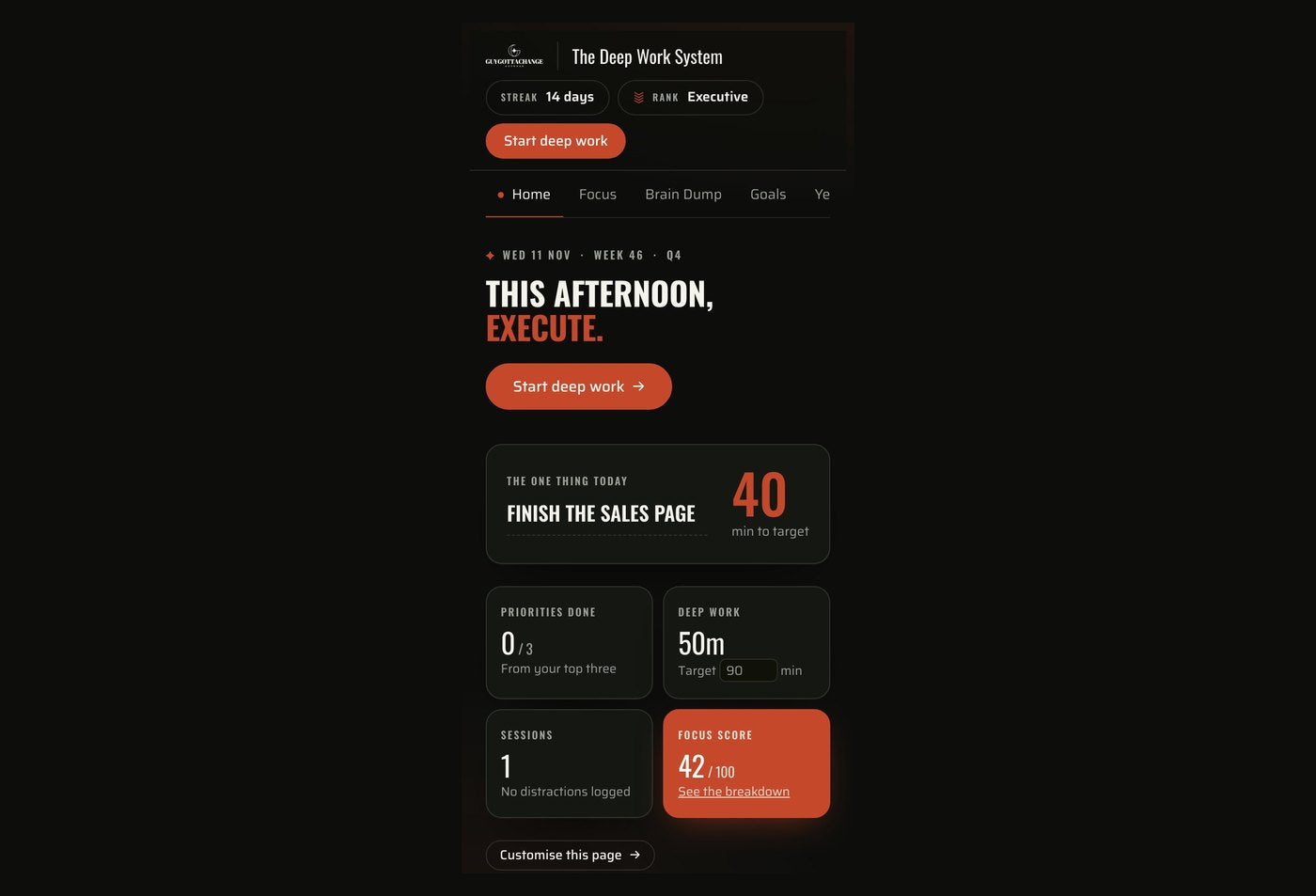
Quarter, month, week, today
Hide the ones you don’t use
Phone and laptop, in step
One payment, updates included
✦The Deep Work System
Your job has a schedule.
Give your own goals one.
Plan your week, focus on what matters and keep your training, meals and progress together. The digital planner for men balancing work, life and something bigger they want to build.
- Know what to work on when you sit down.
- Turn bigger goals into tasks you can finish.
- Save your next step so you can pick up where you left off.
- Keep your workouts and nutrition alongside your plans.
Or pay in one tap
Your access link and order number arrive after checkout, with a welcome guide to help you get started.
✦Why this one
Stop leaving your own goals
until there’s time.
You show up for work. You make it to the gym. You handle what needs doing. Then the evening arrives, and the thing you wanted to build gets whatever energy is left.
MAKE A START EASIER
Know what you are there to do
Decide what matters, give it space in your week and open your planner knowing exactly what you’re there to do.
TURN GOALS INTO TASKS
Something you can finish
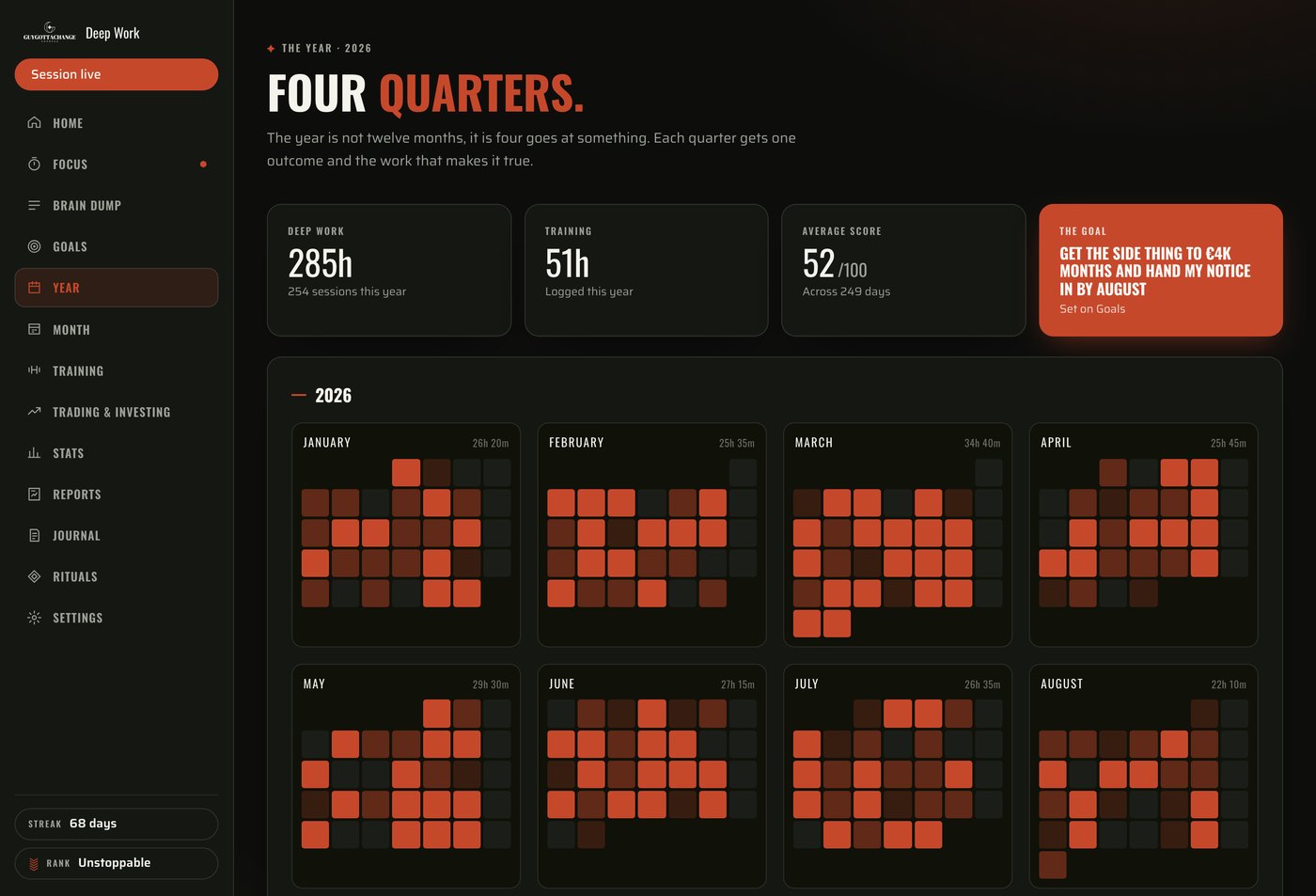
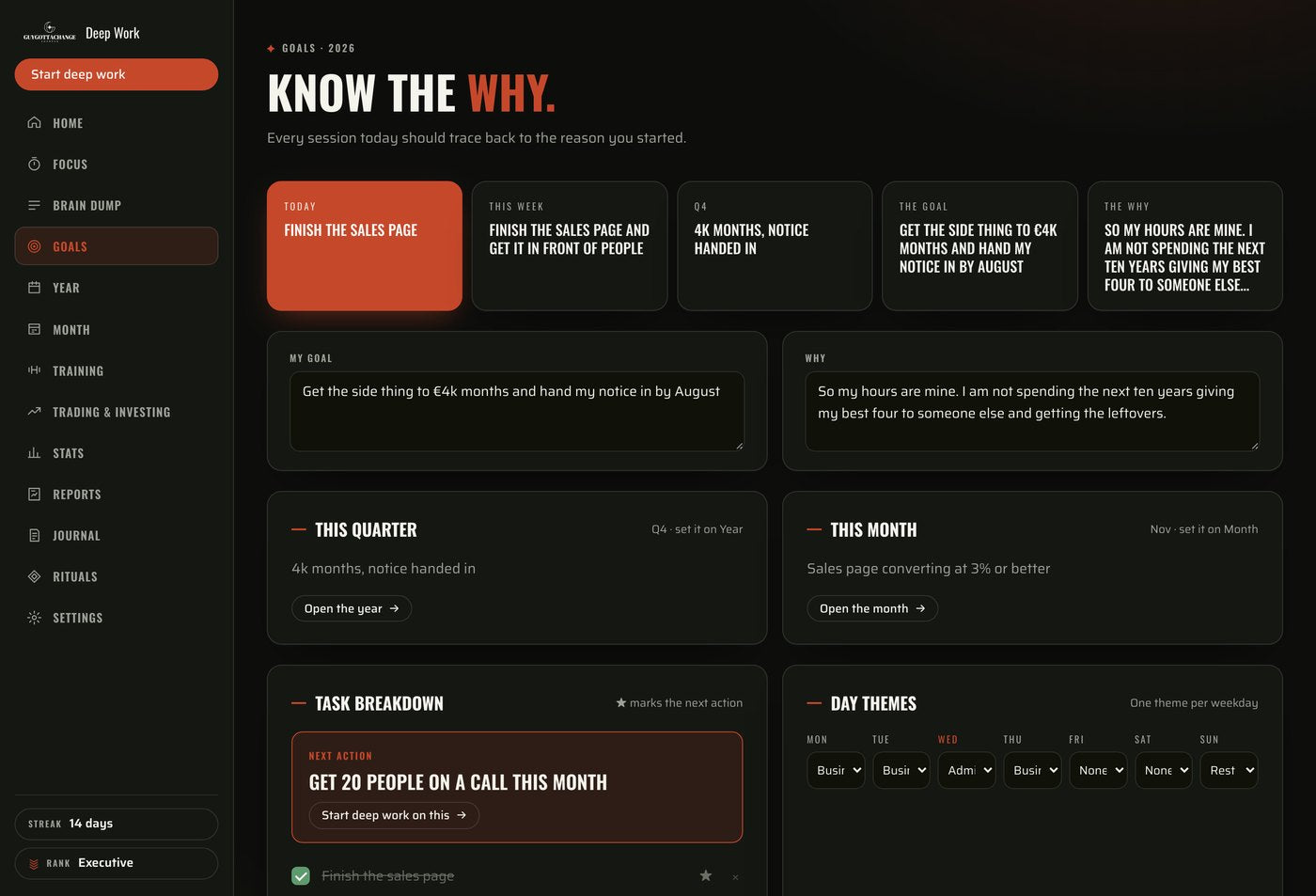
Break a bigger goal into quarterly outcomes, monthly milestones and weekly actions, so the thing in front of you tonight is small enough to finish.
ONE PLACE, NOT SIX
Work, training and money together
Your plans, your workouts, your meals and the record of what you actually did, in one planner. Not a notes app, a spreadsheet and a reminder you have stopped reading.
✦What is in it
Use the parts
that fit your life.
Start with your priorities, calendar and focus timer, then add the other tools when you need them. Hide the optional sections you don’t use and arrange your dashboard around what matters to you.
Goals and planning
Connect your longer-term plans to your monthly milestones, weekly focus and daily actions.
Brain Dump
Capture loose tasks and ideas, then sort them into a useful next step.
Training and nutrition
Keep workouts, meals and daily health habits together.
Trading and investing
Record trades and your trading rules, or track investment contributions against your target. Entries are manual, with no brokerage connection or live price feed.
Journal and rituals
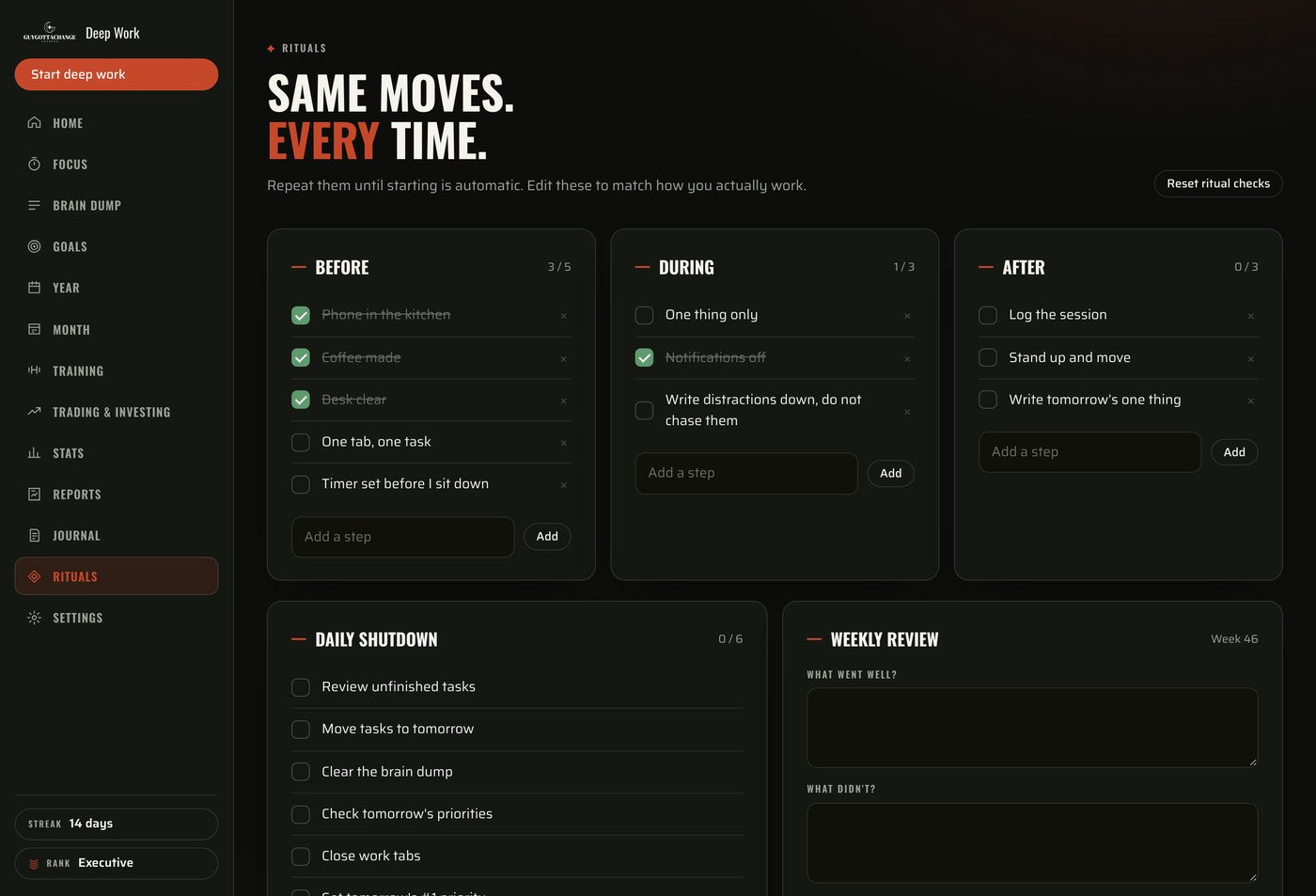
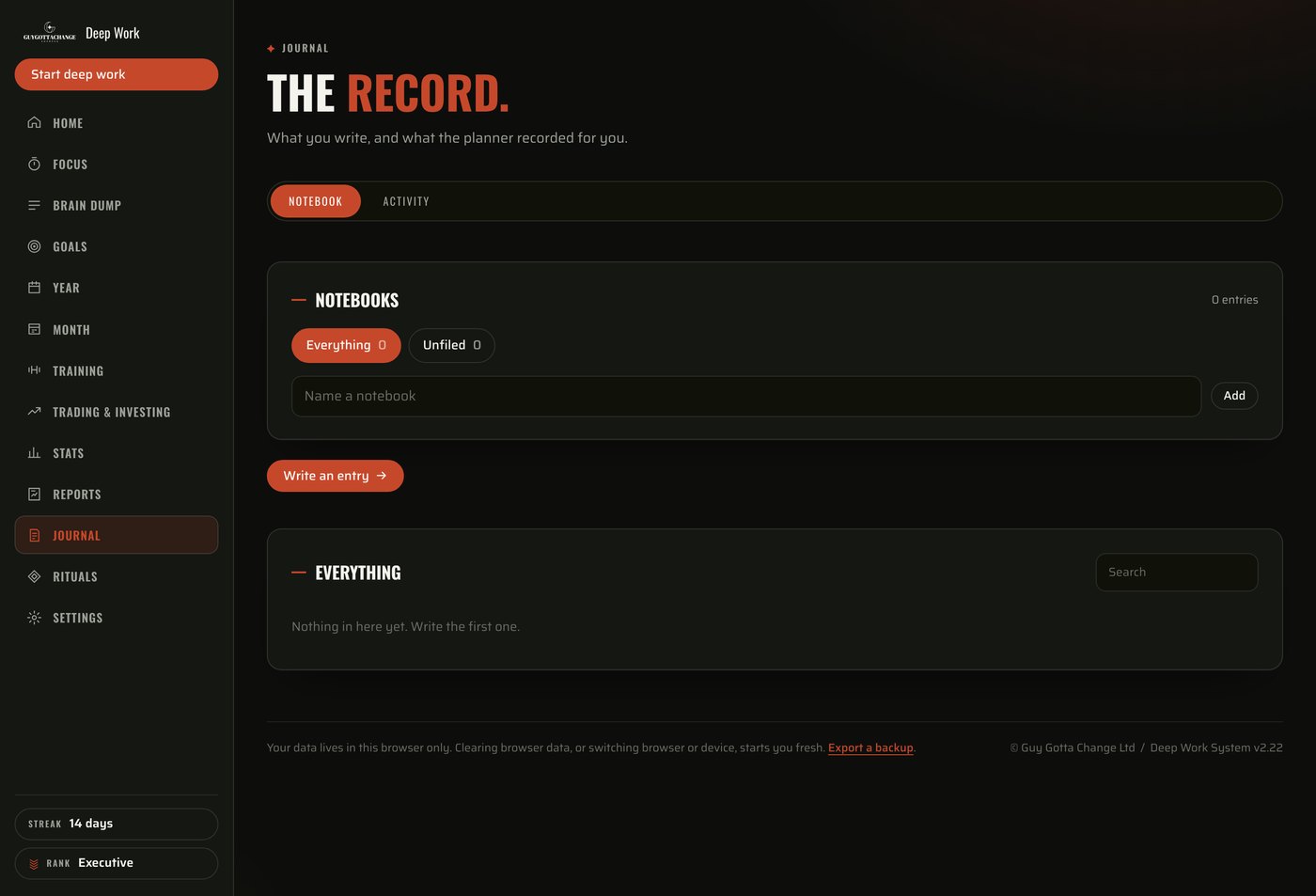
Write things through, close down your day and prepare for the next one.
Stats and reports
Review your recorded focus time, sessions, habits and progress.
✦How it works
From “I need to do that”
to “done”.
Get it out of your head.
The appointment. The business idea. The job you keep putting off. Capture it in Brain Dump, then decide what needs doing today, what needs a date and what can wait.
Make the goal specific.
“Build my business” is a goal. So is passing the exam, or getting the extension finished. “Write the product page” is something you can work on tonight. Break the big one into quarterly outcomes, monthly milestones and weekly actions, so today’s work stays connected to it.
Give it your attention.
Choose your task, set a focus timer and get started. Use 25, 50 or 90 minutes, or choose your own duration to fit the time you have.
Leave yourself a clear next step.
Record what you finished and what comes next. When you return, your unfinished task has somewhere to start. You don’t have to work it all out again.
✦How the parts connect
What you put in one part
turns up in another.
That is the difference between a planner and a folder of pages. Three of them, shown on the real screens.
✦ONE
A goal step becomes
tonight’s session.
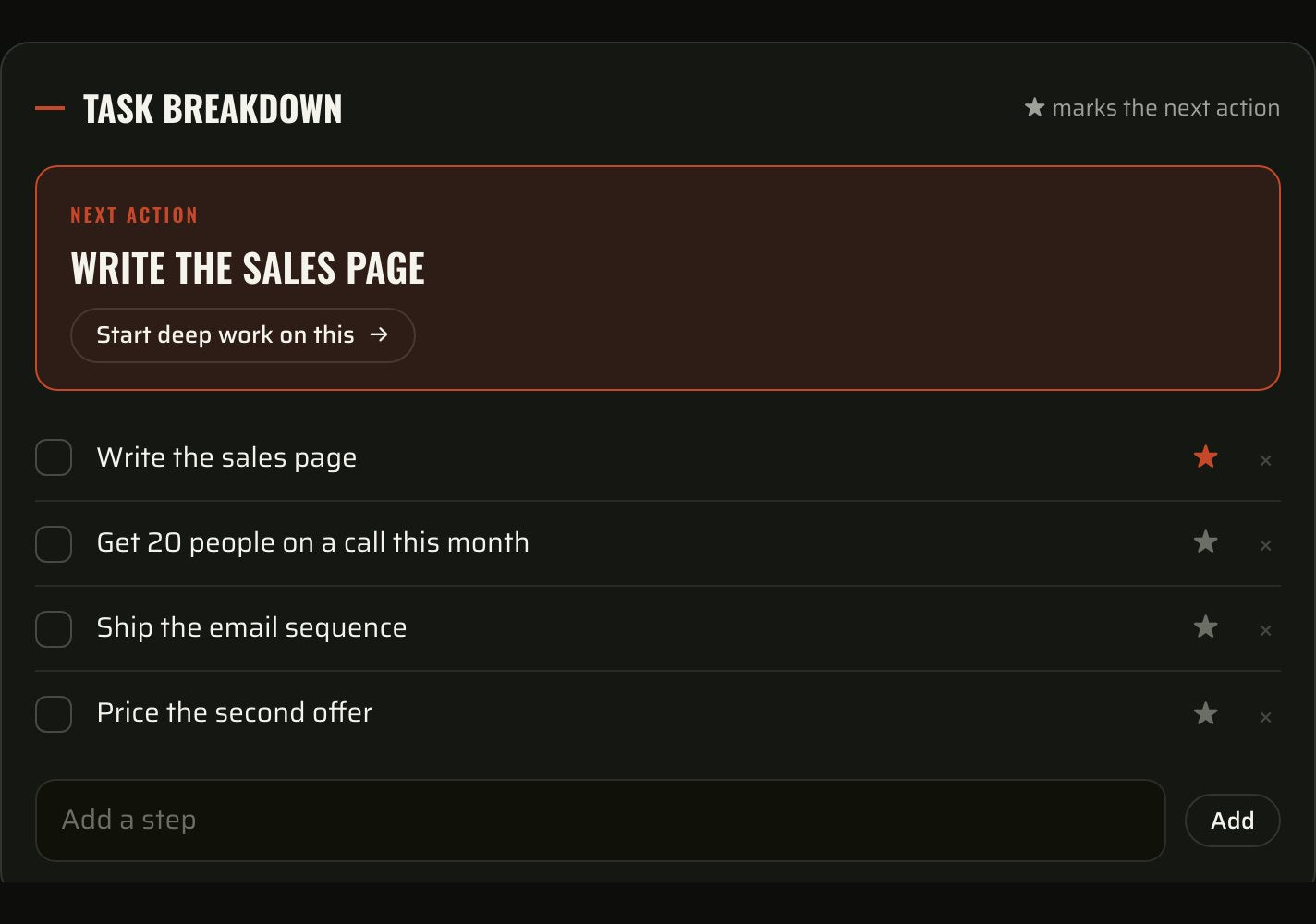
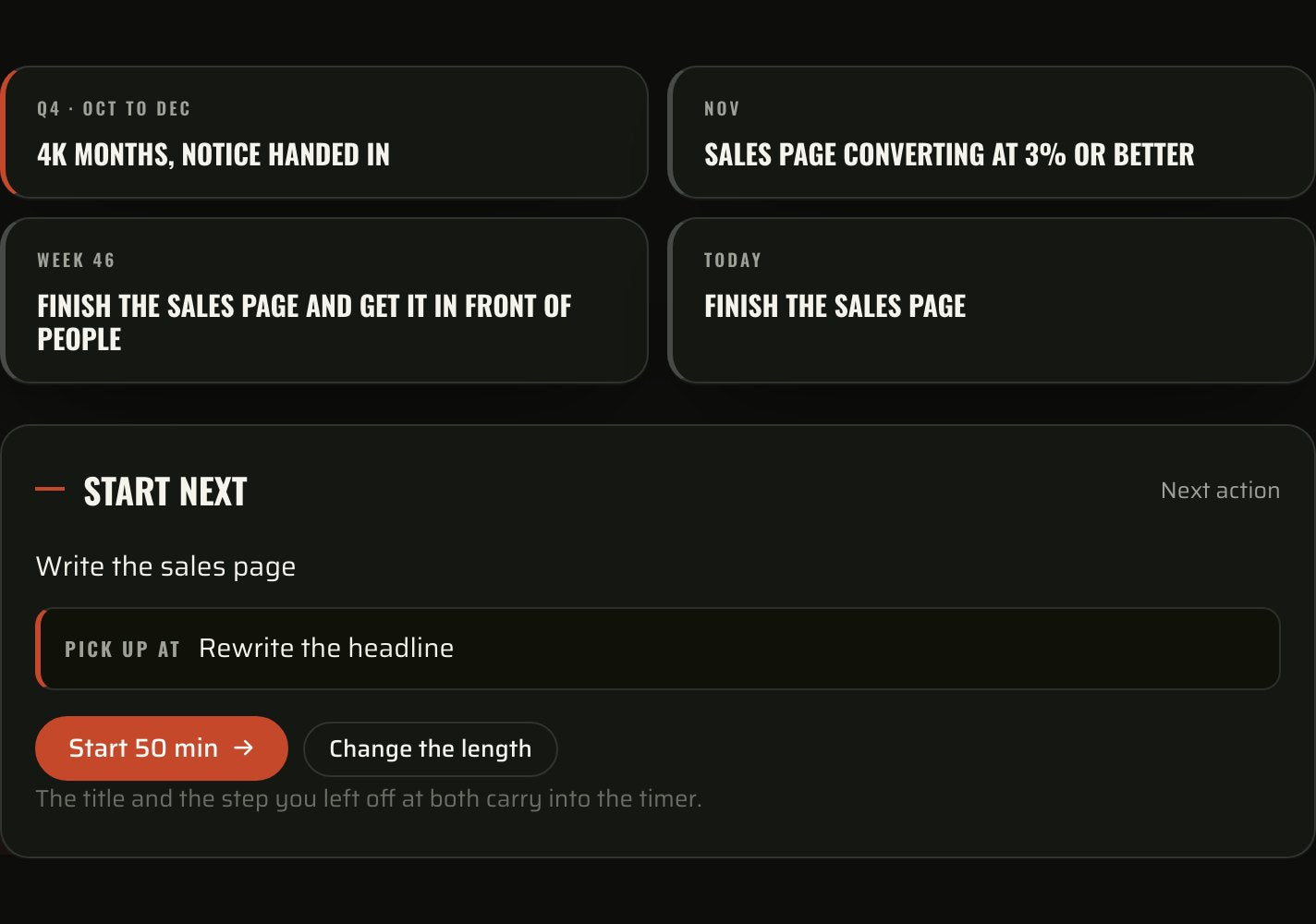
Star the next action on your goal and it is waiting on Home, under the thread that runs from the quarter down to today, with the step you left off at last time already on it. Start the clock and both carry into the timer, so you are not working out where you were.
✦TWO
A meal you log changes
what Home tells you.
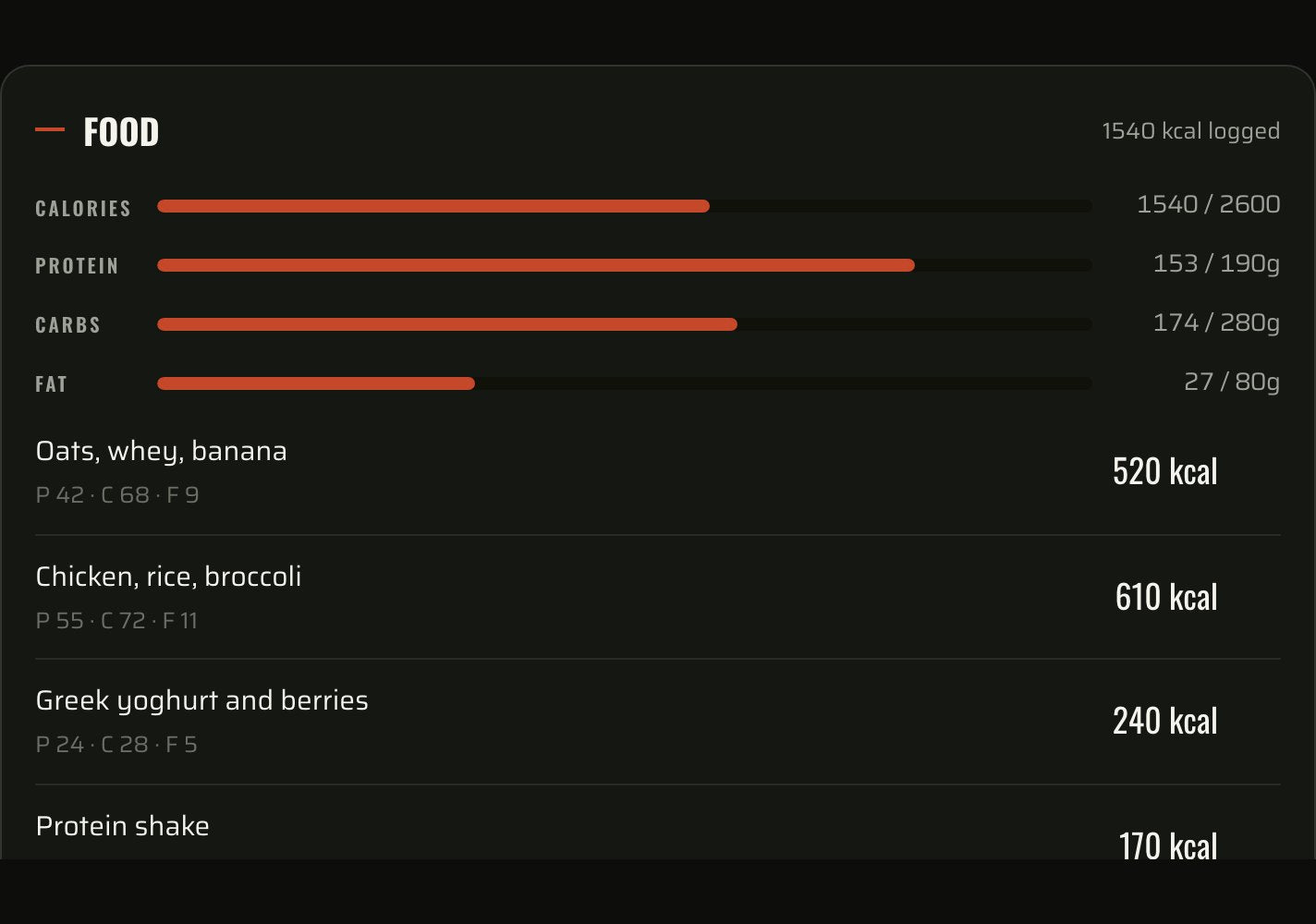
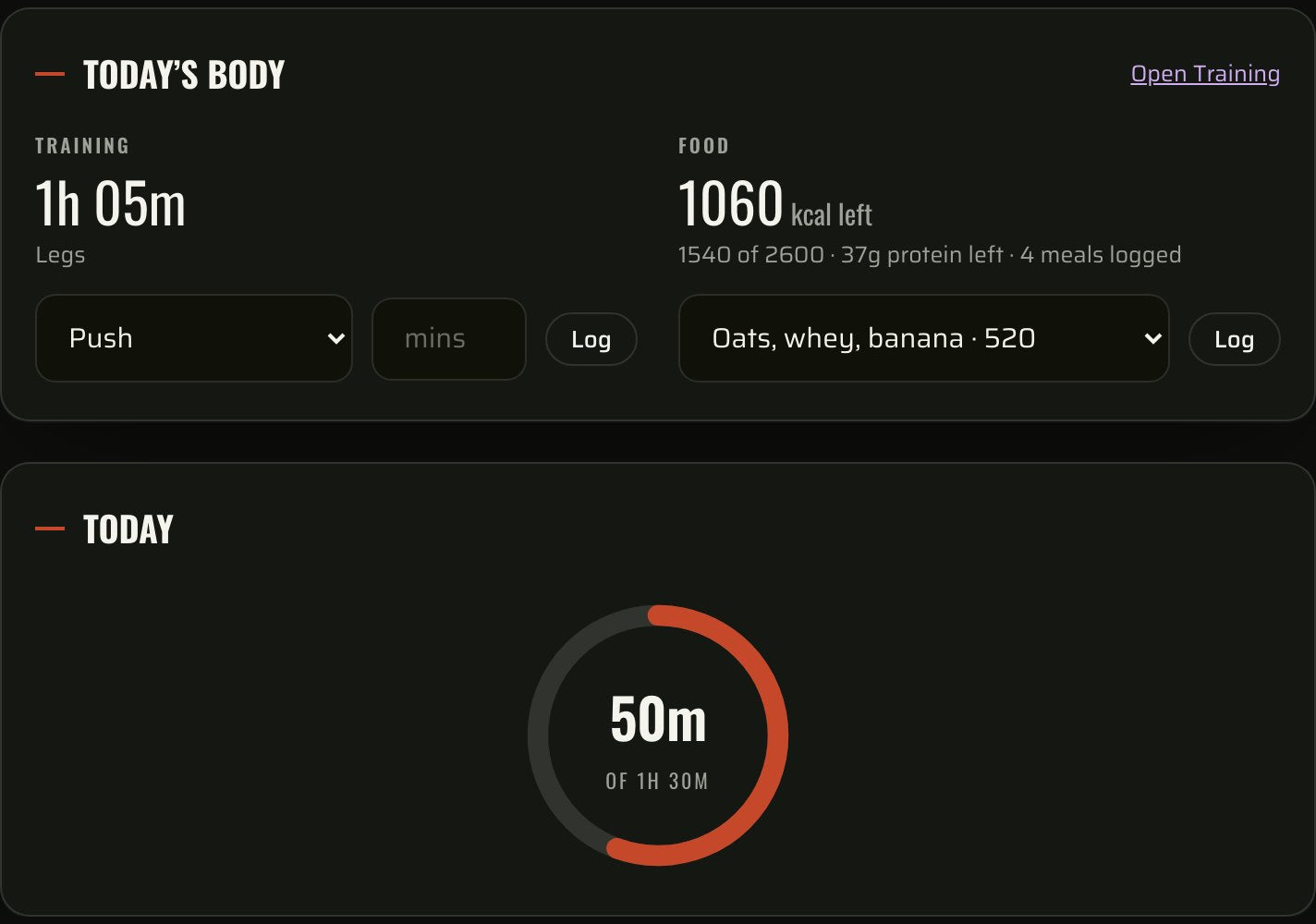
Log the session and the meals on Training. Home answers with the minutes you trained, the calories and the protein you have left for the day, and your training habit ticked off without you touching it.
✦THREE
What you finished becomes
the week’s win.
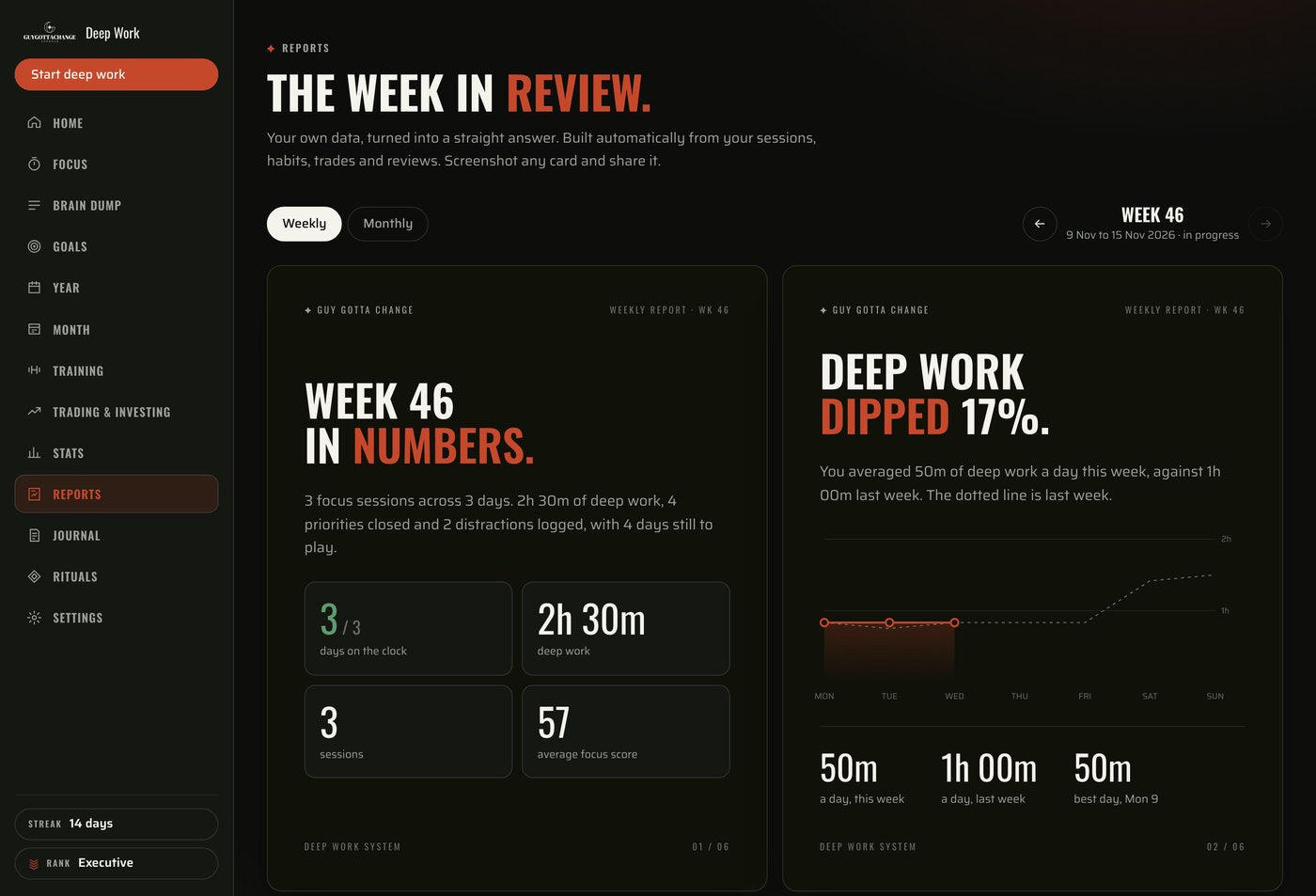
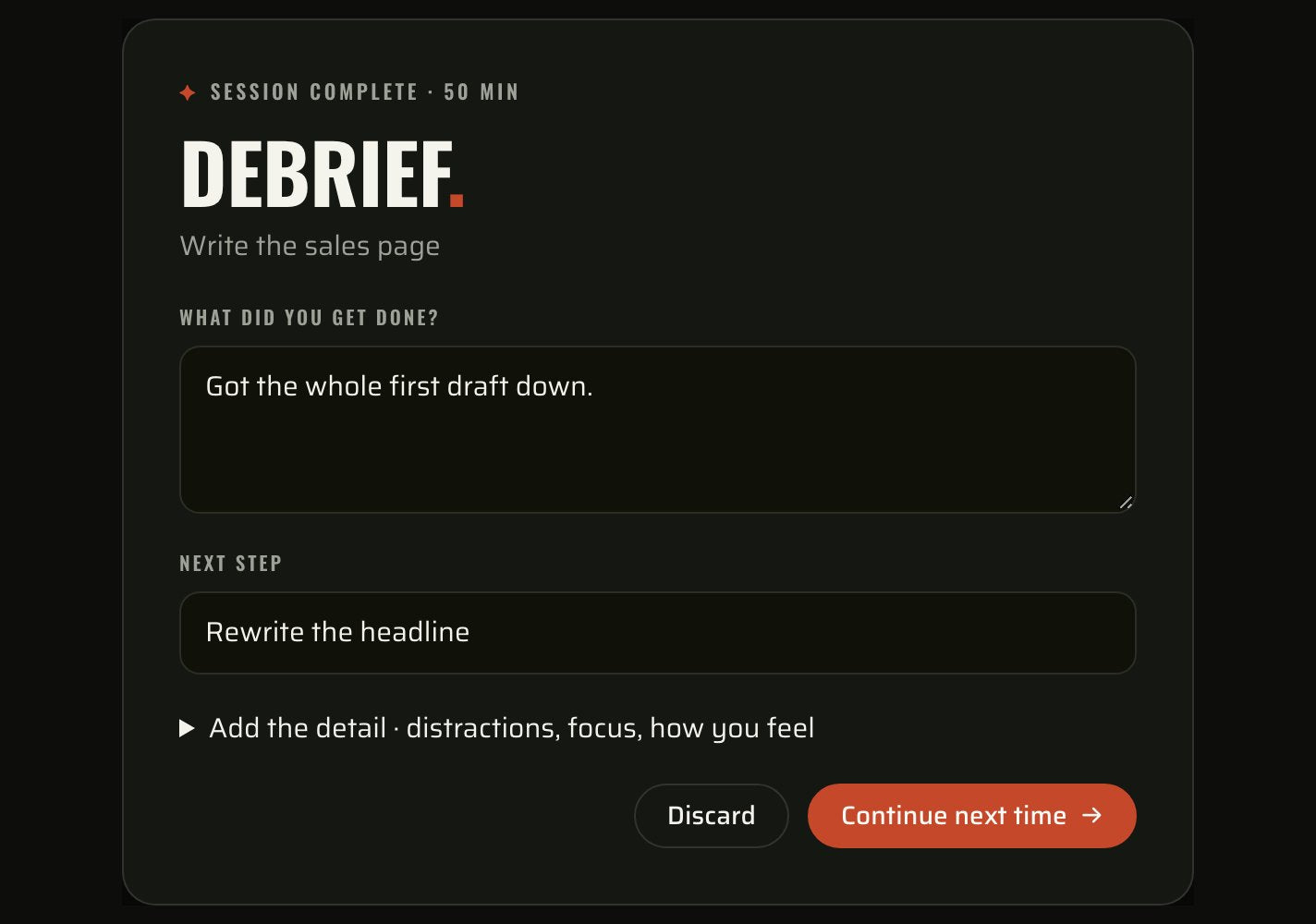
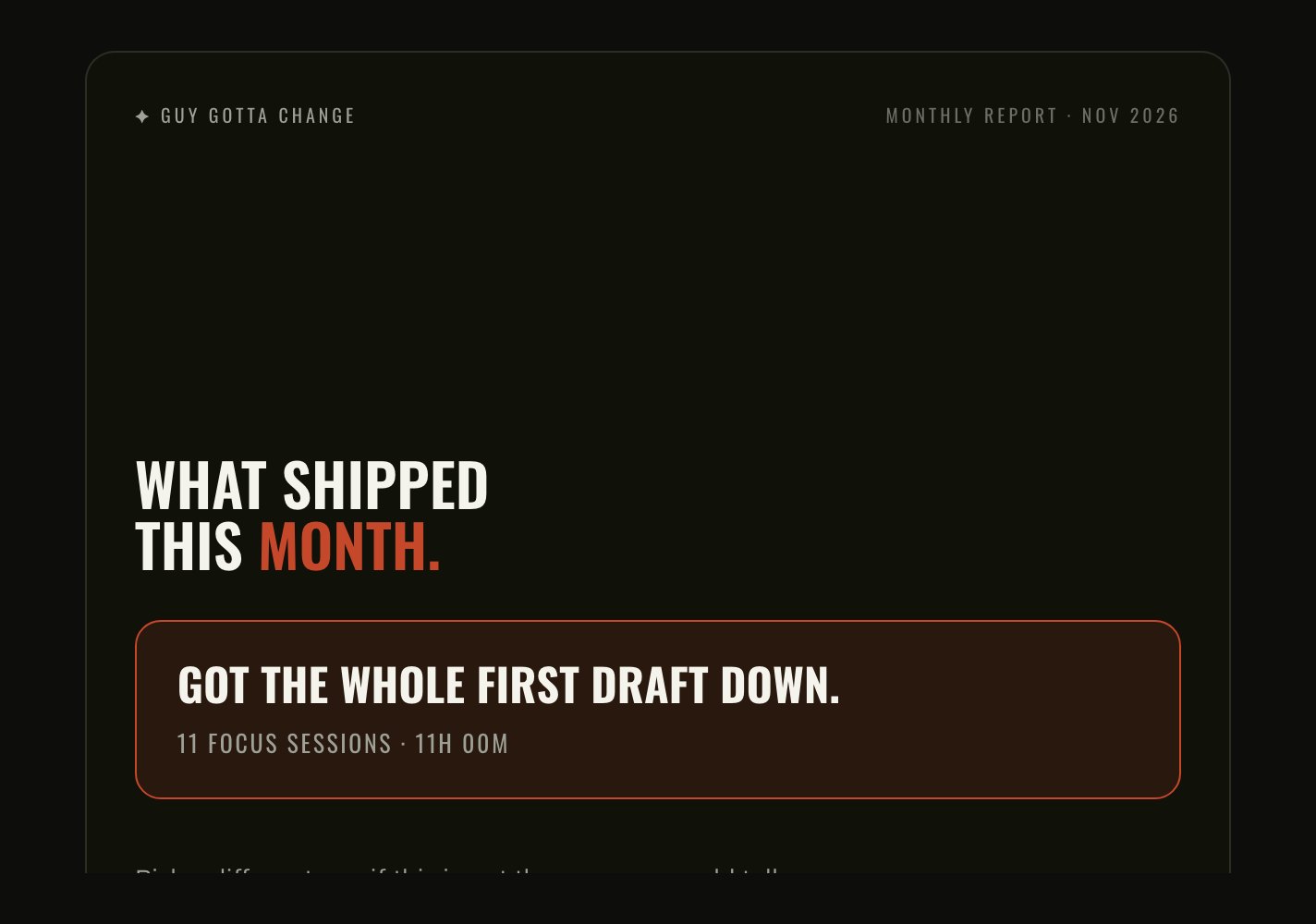
Every session ends with two questions: what got done, and what is next. The first builds your weekly and monthly report, where you pick the outcome that actually counts and see the sessions and hours behind it.
✦A closer look
See how it fits
the week you have.
✦YOUR DASHBOARD
Open it and see
today, not everything.
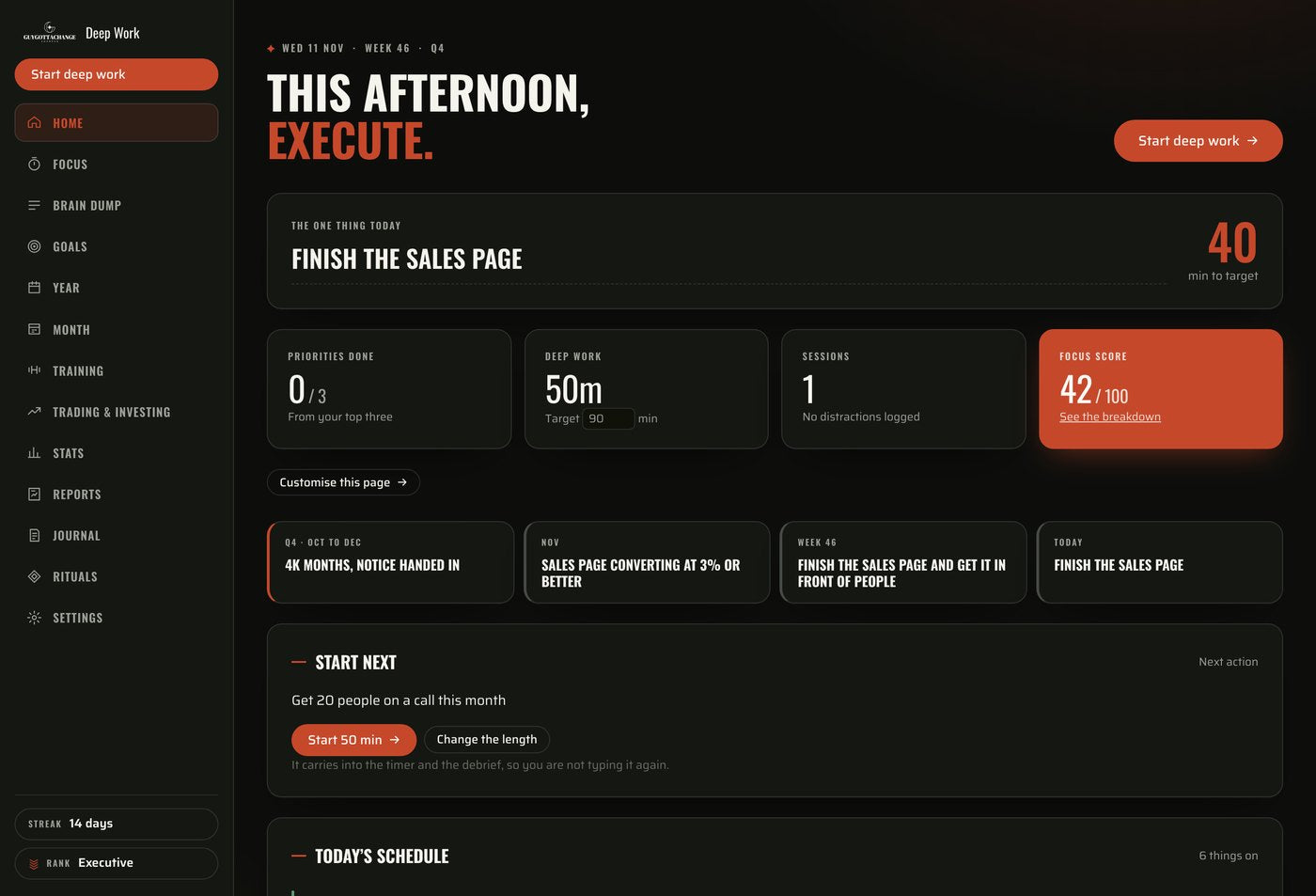
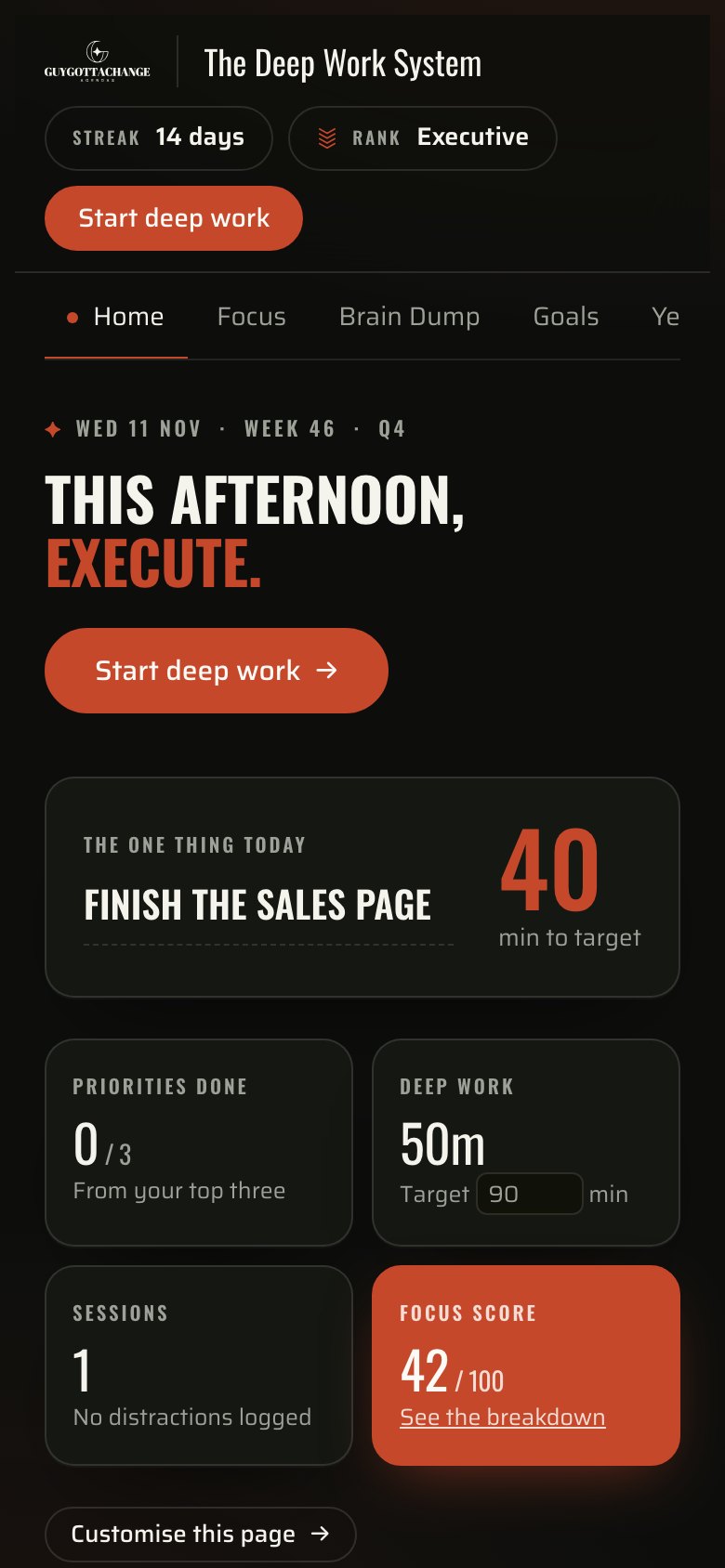
One priority, your top three, the schedule for the day and the non-negotiables you hold yourself to. Above them, the thread from the quarter you set down to the task in front of you this evening. Every card can be moved, and the ones you do not use can be switched off.
- The one thing today, and your top three under it.
- Your non-negotiables, ticked off as the day goes.
- Today’s schedule, with your own calendar in it.
- Rearrange the cards, or hide the ones you never read.
✦FOCUS SESSIONS
Choose the task.
Start the clock.
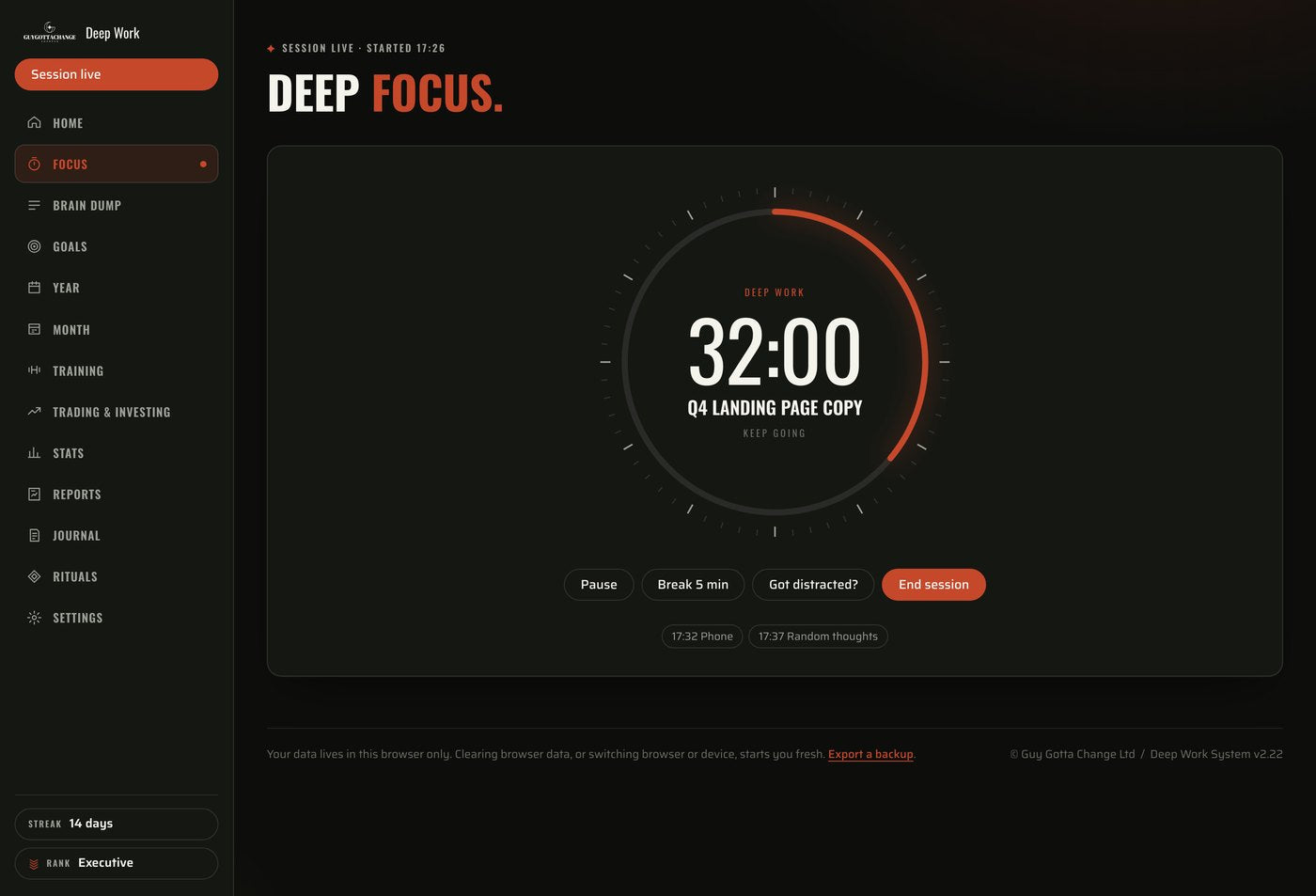
Use 25, 50 or 90 minutes, or set your own length to fit the time you actually have. The ring counts real elapsed time, so a reload or a locked phone does not cost you the session, and a distraction goes on the record with the time it happened.
- 25, 50 or 90 minutes, or a length you set yourself.
- Log a distraction in one tap, without losing the clock.
- A five minute break that stops the timer.
- Every session is kept, so the week has a record.
✦YOUR WEEK
Plan a week you can
actually live.
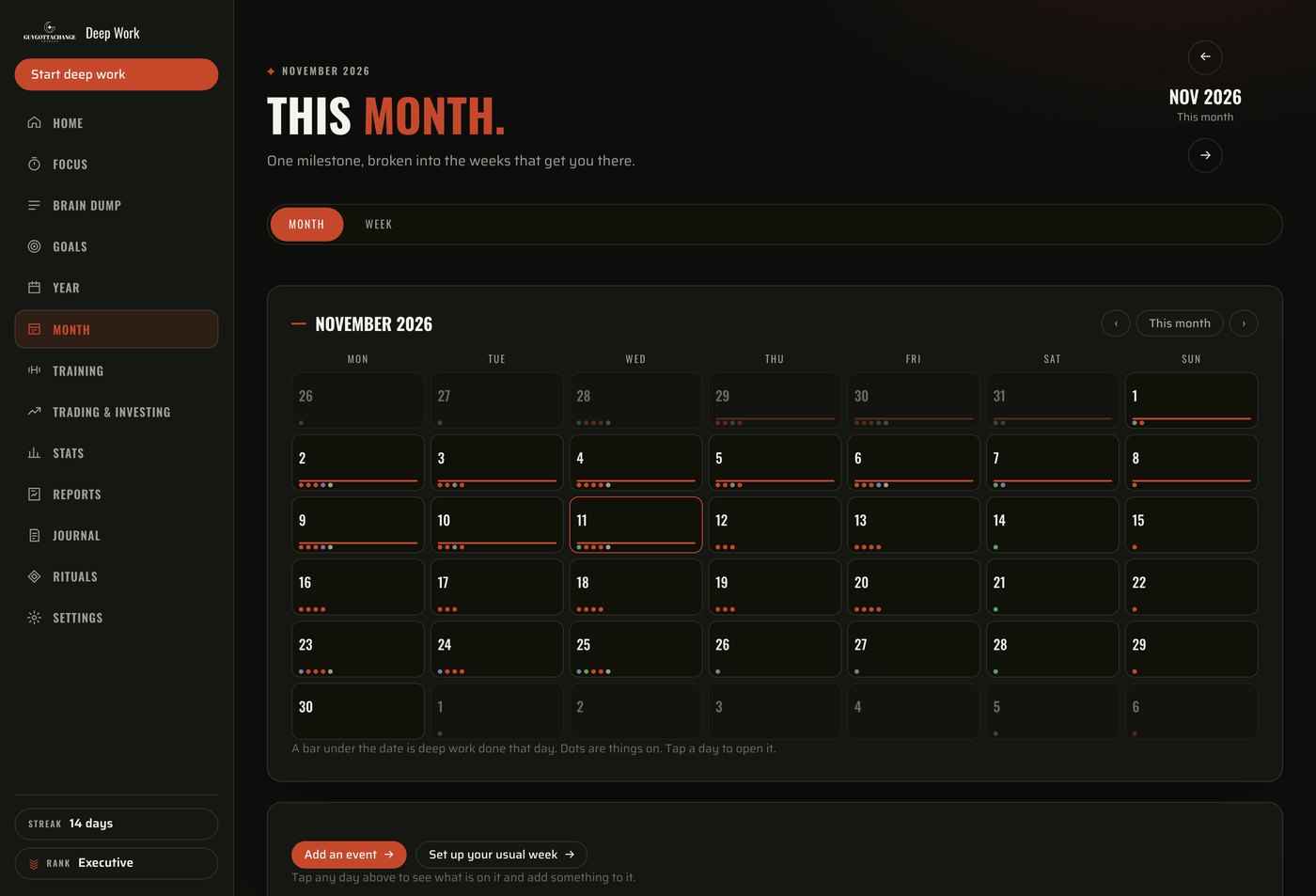
Work, training, appointments and your own projects all need time. Bring your existing calendar into view alongside your own plans, build your usual week, and move a session when plans change. An evening that runs late doesn’t have to become another abandoned goal.
- View your week and add your own appointments.
- Google, a published Apple calendar, or an .ics file.
- Imported calendars are read only. Nothing is written back.
- Create recurring blocks, check for clashes, reschedule when you need to.
✦TRAINING AND NUTRITION
Your workout is
part of the plan.
So is everything around it.
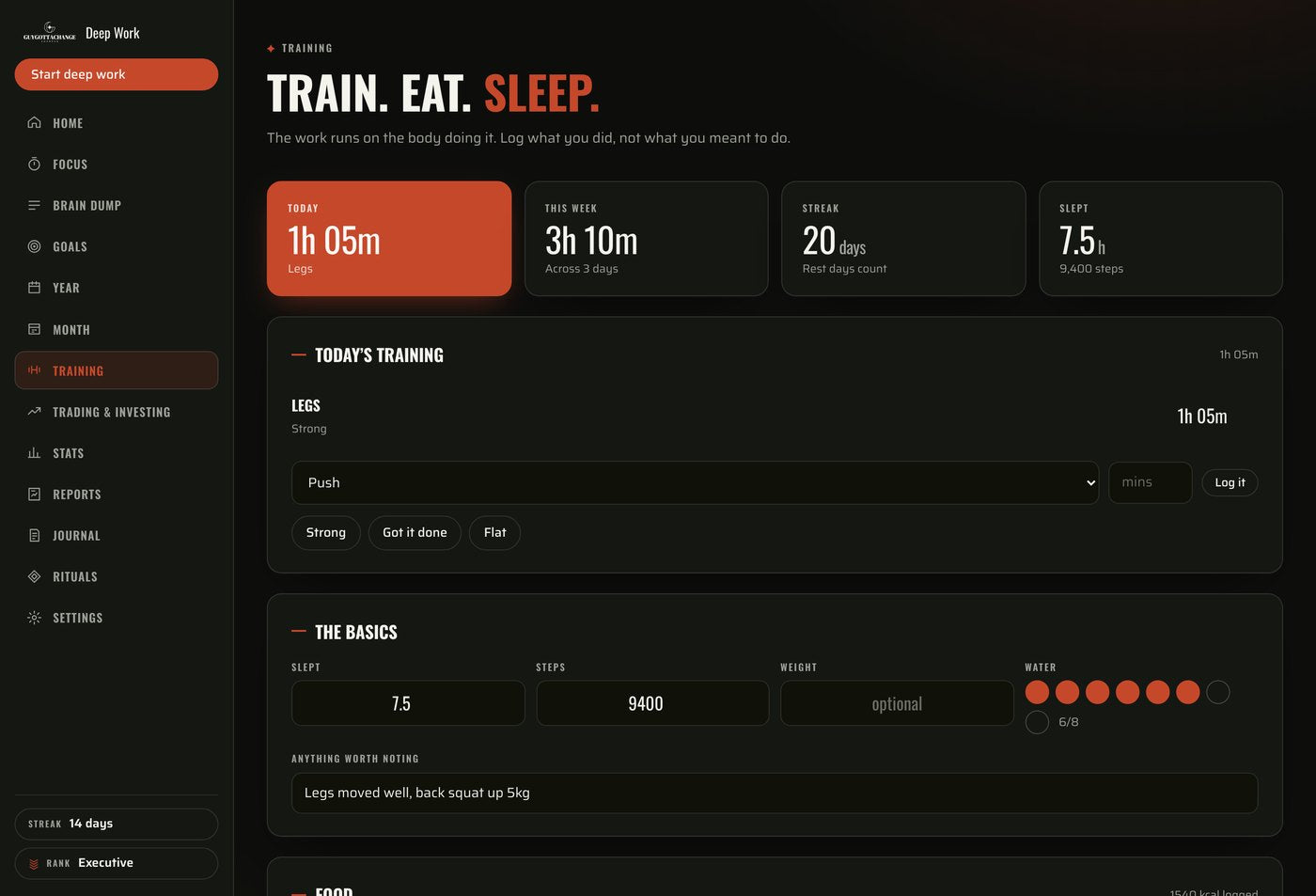
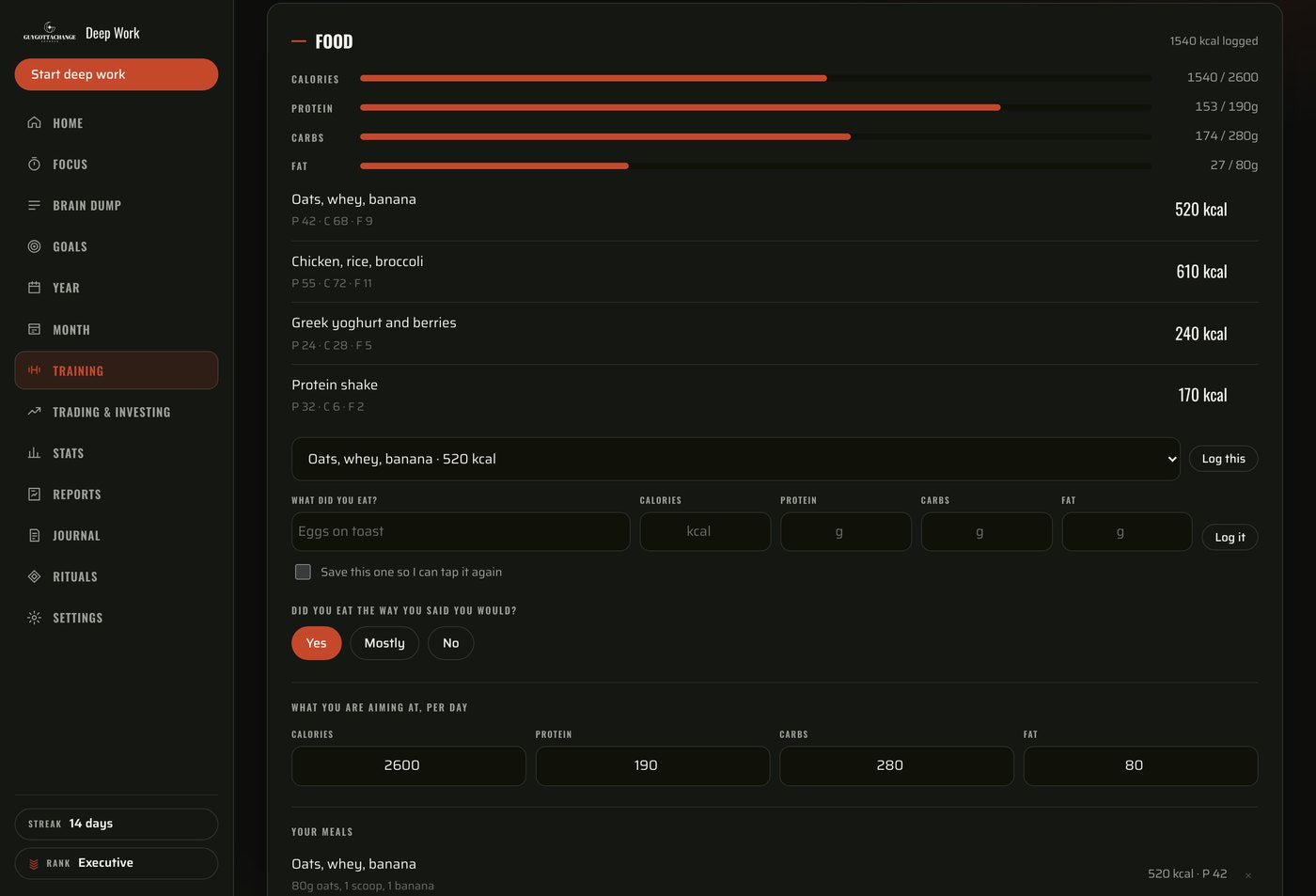
Log your training, keep track of your meals and see what’s left against the targets you set. Save meals you eat regularly so you can log them again without entering everything from scratch. Your plans and your health habits, in one place.
- Track calories, protein, carbs and fat.
- Record workouts and how they felt.
- Log sleep, steps, water and weight.
- See a logged workout tick off your training habit on Home.
✦THE RECORD
Finish the week knowing
what moved forward.
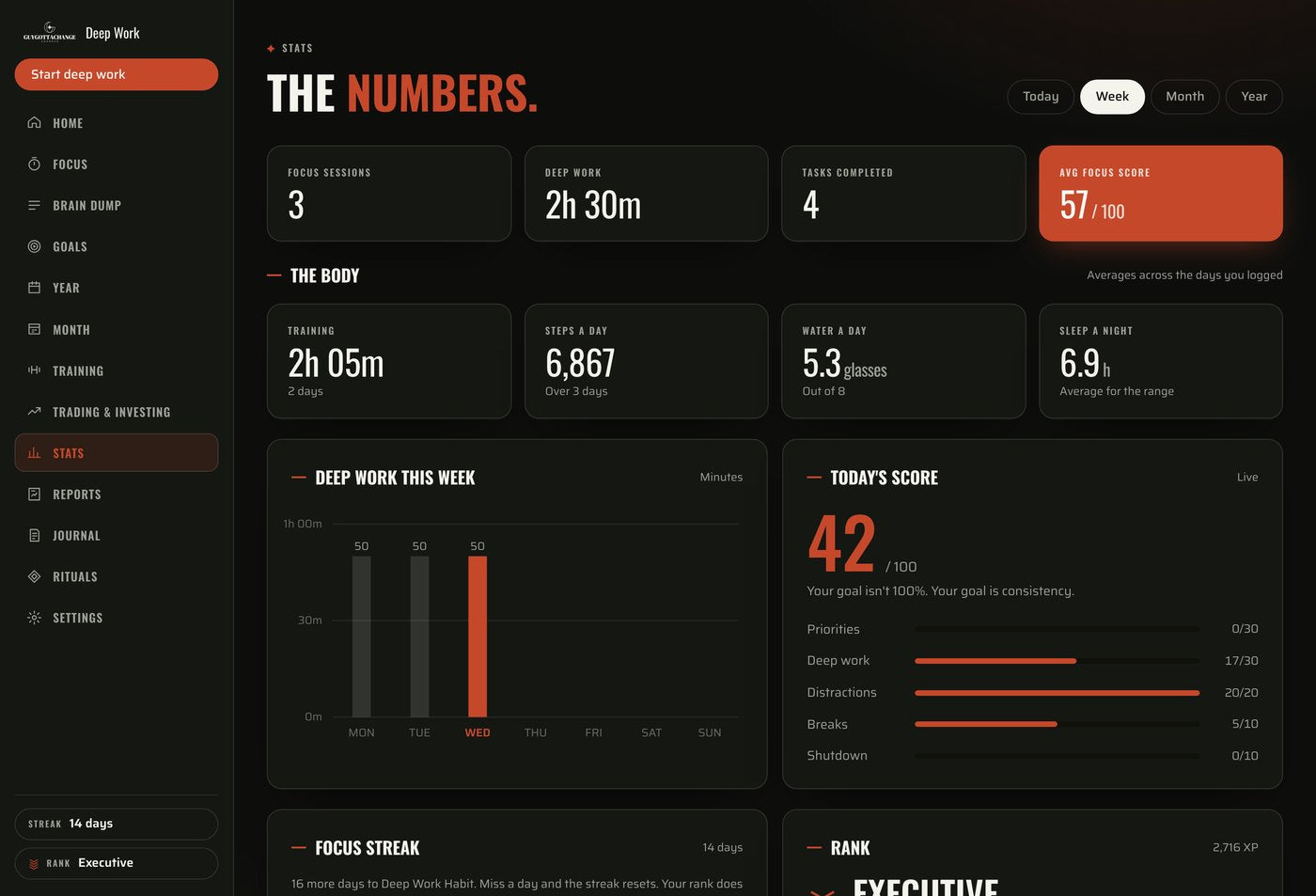
A report card at the end of every week and every month, written as a sentence rather than a wall of numbers. Deep work climbed or dipped against the period before. Mornings beat afternoons, or they did not. The habits carried the work, or they slipped and the work went with them. Cards only appear when there is enough behind them, so it never invents a finding.
- This week against last, in hours and sessions.
- Where your distractions came from, in order.
- The days you held your non-negotiables, against the days you didn’t.
- “Published the product page.” “Passed module three.” Whatever shipped, you pick the one that counted.
✦TRADING AND INVESTING
The money side,
in the same planner.
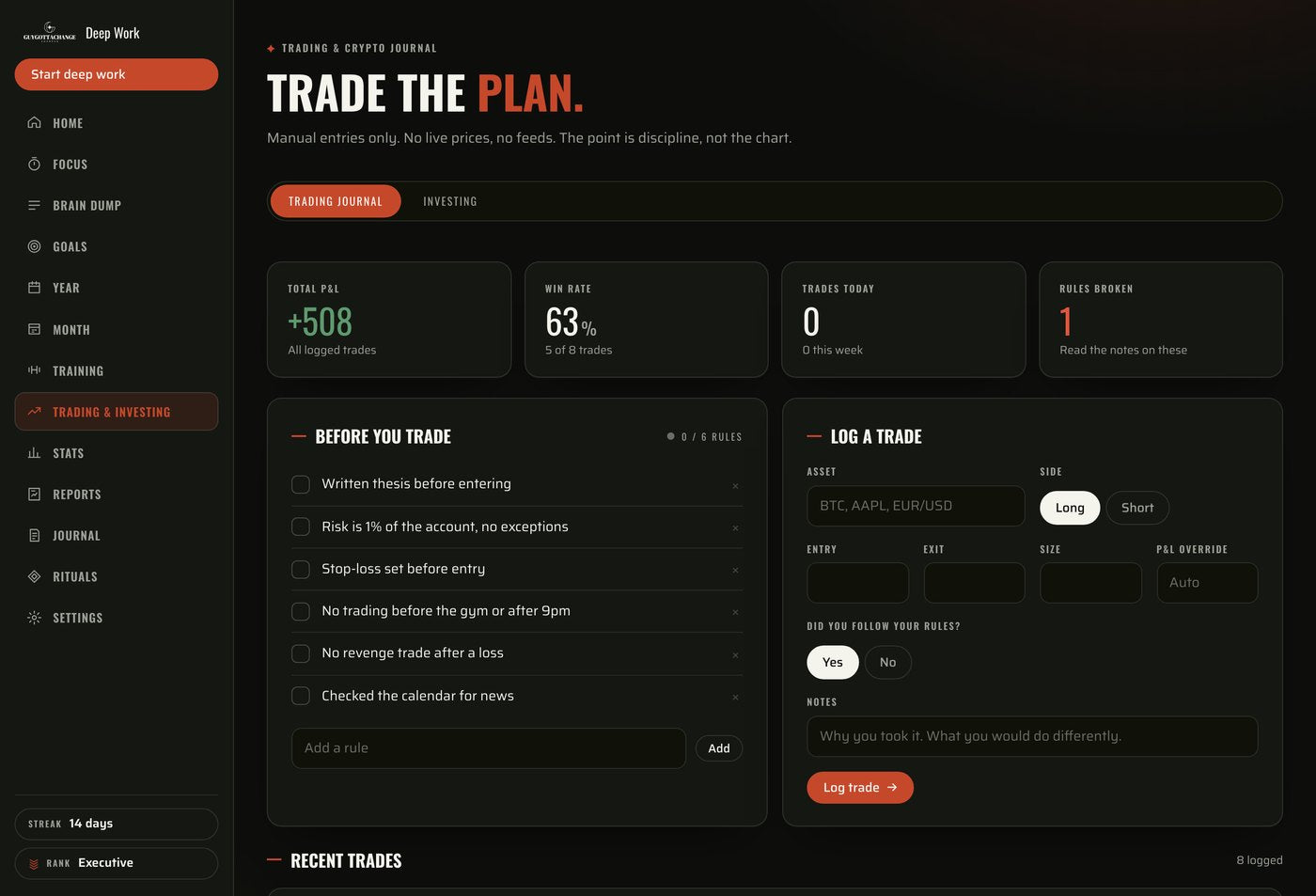
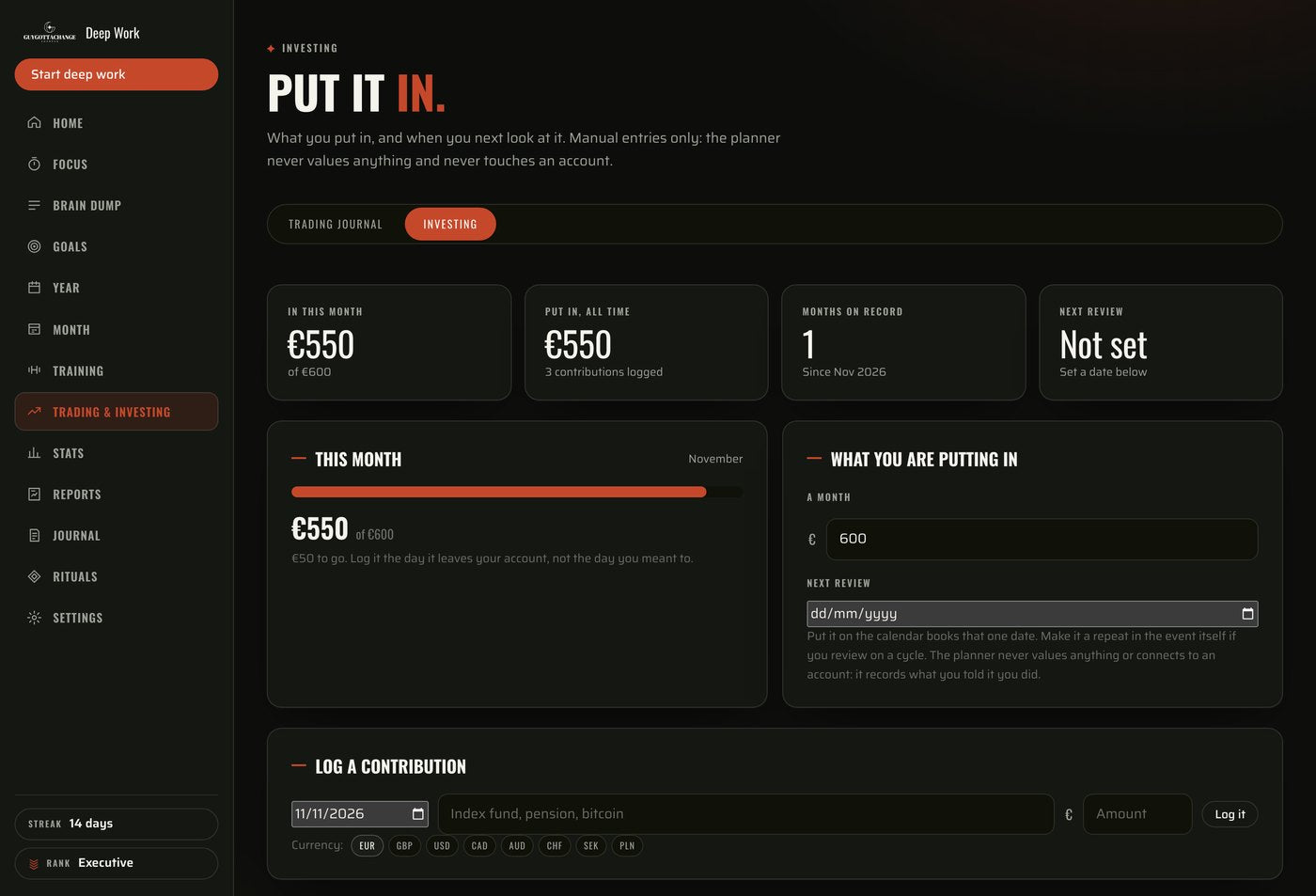
Two tabs on one page. A checklist of your own rules to tick before you enter, and a log of every trade with what you were thinking at the time. Or the investing side: a monthly contribution target, what you have put in so far and what is left. Entries are manual. No brokerage connection, no live prices, nothing linked to an account of yours.
- A monthly target, what you have paid in, and what is left.
- Win rate, total P&L, and the trades where you broke a rule.
- Switch the whole tab off in setup if you don’t use it.
✦EVERY DEVICE
Plan on your laptop.
Check in on your phone.
Open your planner in your browser and sign in to your account. Plan the week at your desk, check your next task on your phone and log your workout at the gym. You can also add it to your home screen for easier access. No Goodnotes or Notion required.
- One account, so the same planner opens on both.
- Add it to your home screen for easier access.
- Your work is saved the moment you type it.
- Export a backup file whenever you want one.
✦What you get
One payment.
Your whole system.
The full planner
Access to The Deep Work System, with every planner section included.
Yours to shape
All planner sections, with the optional ones you can hide.
Phone and laptop
Access through your account on both, with the same planner on each.
A welcome guide
A short guide to help you get started on the day you buy.
Updates included
No subscription and no renewal fee.
A digital product
It runs in your browser. No physical planner will be shipped.
✦Questions
Before you buy
What exactly is this?
The Deep Work System is a digital planner that runs in your browser. It brings together goal planning, your calendar, a focus timer, training, nutrition, journalling and progress reports. It is an interactive system you fill in and use, rather than a PDF planner.
How do I access it after buying?
You receive an access link and your order number after checkout. Open the link, select Create account and register using your order number. Your welcome guide walks you through setup.
Is there a monthly fee?
No. You pay €38 once. There is no subscription or renewal fee, and updates are included.
Can I use it on my phone?
Yes. You can open it in your browser on iPhone, Android or laptop and access your planner through the same account.
Do I need to use every section?
No. Start with the tools you need. You can hide optional sections and customise your dashboard. You don’t need to trade, track macros or fill in every field to use the planner.
Can I bring in my existing calendar?
You can connect Google Calendar, add a published Apple Calendar link or import an .ics calendar file. Imported calendars are read only. Changes in the planner are not written back to your external calendar.
What if I’ve bought planners before and stopped using them?
Start small: choose one task, give it a time and use the focus timer to work on it. At the end, save your next step. That gives you a clear reason to come back and somewhere to begin when you do. You can build the rest of your routine from there.
Does it do the work for me?
No. You choose your priorities and put in the work. The system gives you somewhere to plan it, focus on it and keep track of what you’ve done.
✦The Deep Work System · €38 · One payment
Know what you’re
working on tonight.
Give your goals a place in your week. Choose the next task. Make time for it. Pick up where you left off.
Or pay in one tap
Instant access · No subscription · Updates included